Subprofiles
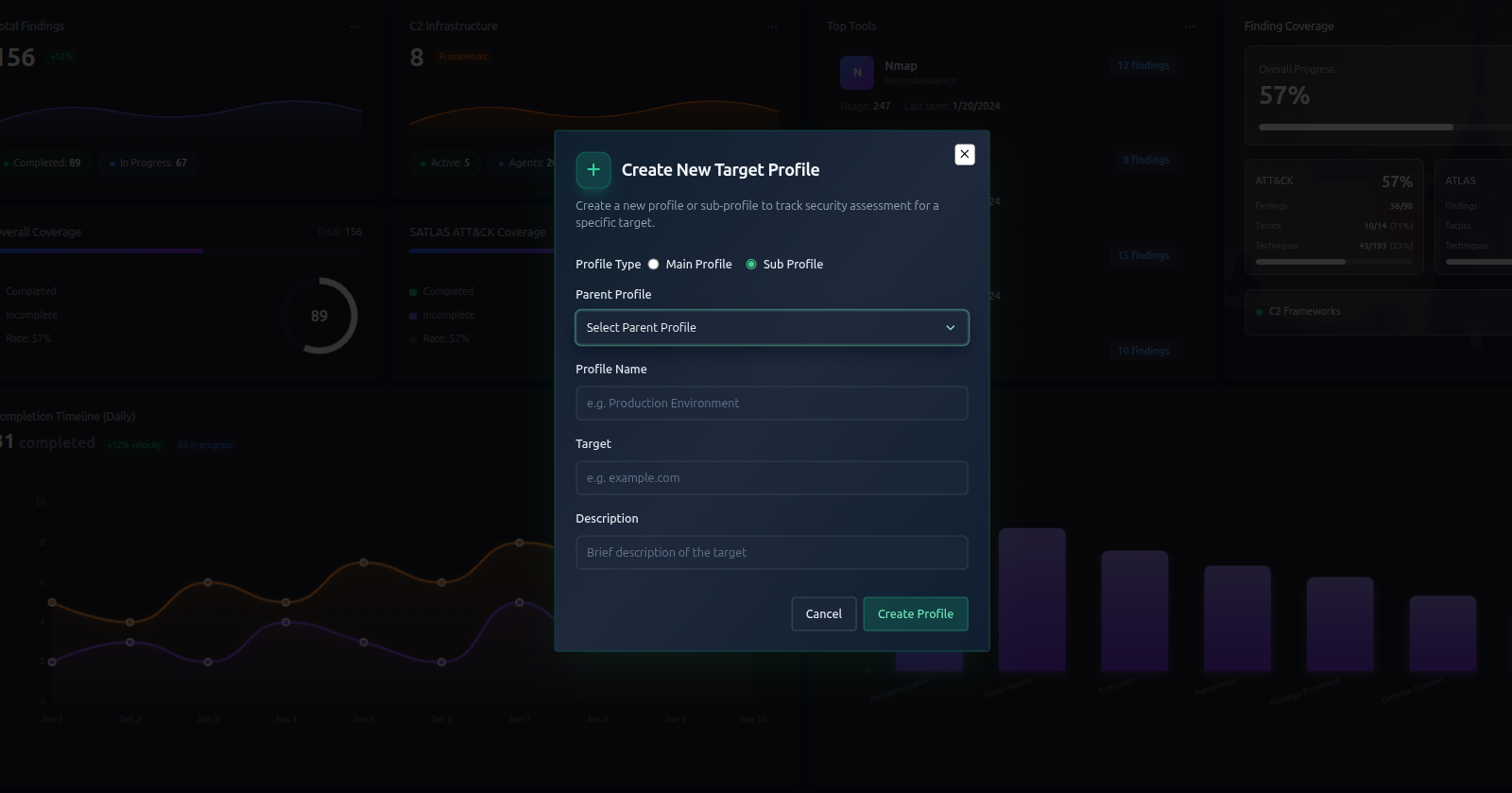
A Subprofile is a way to divide a large engagement into smaller, focused segments. Each subprofile has its own findings, letting you track results separately for different parts of the target.
When to Use Subprofiles
Subprofiles are useful when your engagement target has multiple distinct parts. Common examples:
| Scenario | Example Subprofiles |
|---|---|
| Multiple target environments | internal-network, external-dmz, cloud-aws |
| Multiple departments | hr-systems, finance-systems, it-infrastructure |
| Multiple assessment types | web-app, api, mobile |
| Phased engagement | phase-1-recon, phase-2-exploit, phase-3-pivot |
Creating a Subprofile
-
Open an existing profile (engagement)
-
In the left sidebar, go to Subprofiles
-
Click Add Subprofile
-
Fill in the details:
Field Required Description Name Yes Unique name for this subprofile Target Yes What this subprofile focuses on Description No Optional notes -
Click Create
Working with Subprofiles
Once you have subprofiles, you can:
- Filter findings by subprofile — see only the findings relevant to one segment
- Record findings under a specific subprofile instead of the parent profile
- View subprofile-specific analytics by selecting the subprofile in the dashboard filter
Subprofile vs Profile — Key Differences
| Feature | Profile | Subprofile |
|---|---|---|
| Navigator | Shared (one per profile) | No separate navigator |
| Findings | Yes | Yes (own findings) |
| AI Plans | Yes | No (uses parent's) |
| Analytics | Yes | Filter by subprofile |
| Terminal sessions | Shared with profile | Shared with profile |
The Navigator is shared across all subprofiles — it represents the entire engagement scope. Findings in subprofiles still sync to the parent navigator (e.g., completing a finding marks the technique as completed in the navigator regardless of which subprofile it's under).
Deleting a Subprofile
Deleting a subprofile removes the subprofile and its findings. The parent profile and navigator data are unaffected.
If a finding under this subprofile was the only completed finding for a technique, deleting the subprofile will revert that technique's status in the navigator back to "in progress".
Tips
- Keep subprofile names short and descriptive
- You can filter the analytics dashboard by subprofile to see segment-specific metrics
- If you don't need segmentation, skip subprofiles entirely — they're optional